
How to Use QR Codes on Your Business Cards?
With one of the newest methods of advertising being the Quick Response Code or QR code, people are still coming up with new ways to utilize this very effective marketing tool.
Because you use so little space for the pretty graphic that looks like an artistic bar code, you have lots of options on its usage - but one that is very effective is the business card.
Business Cards are Economical Advertising
A business owner is always looking for ways to save money and using a QR code as a marketing or an advertising tool makes a lot of sense. The expense is very little in terms of dollars but the rewards could be very significant. Each department head in a company could use a different QR code on their business card - Finance could have access to Accounts Payable and Receivable, Sales could have access to different sales offices, and Marketing could have a video of the product lines.
Learn how to use QR codes on your business cards
A QR code is certainly a step into the future of advertising - so it is a forward- thinking company that puts a QR code on its Business Cards. Business people today want to deal with innovative companies that effectively utilize the technology available.
- You may allow everyone in your organization or just specific individuals to login and order Business Cards. Or, if you desire, you have the option to appoint an administrator to oversee the entire process.
- The system is completely customizable to fit your specific needs and internal controls.
- If you choose to appoint an administrator, they will receive email notifications for all new orders. The administrator may then approve, deny, or change any necessary information.
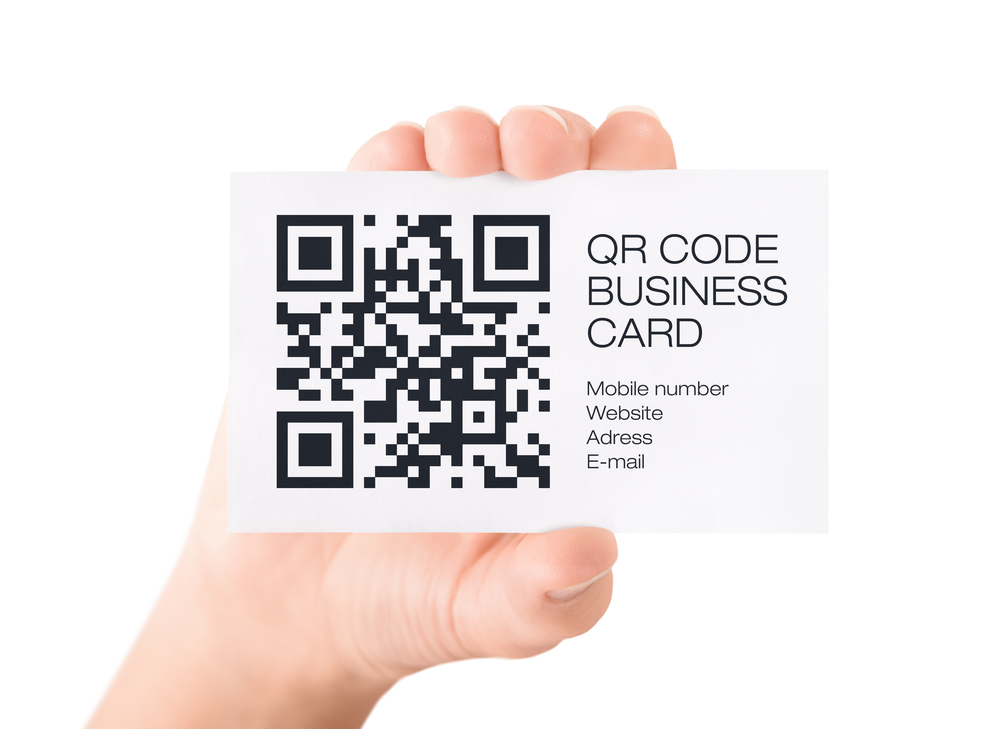
It is, therefore, a great idea to use a QR code on your business card. Think outside of the box and come up with a great way to use it for your company.
Take a step in the right direction with a QR code on business cards
As a highly desired marketing tool - create your QR code to simply include your contact information that, when scanned, will automatically get saved into the card recipient's address book on their Smartphone.
Or, create a Quick Response Code that will take your business card's recipient to a video, website, or printable coupon for your products or services. QR codes can be used to provide a product presentation, a display of your new location, or invite you to a special event being provided by the organization.
Get your QR code business cards today
Think strategically, and get your QR code business cards and go to our website today at BusinessCardManager.com. All it takes is a quick trip to the computer to get started.